A directory with previews
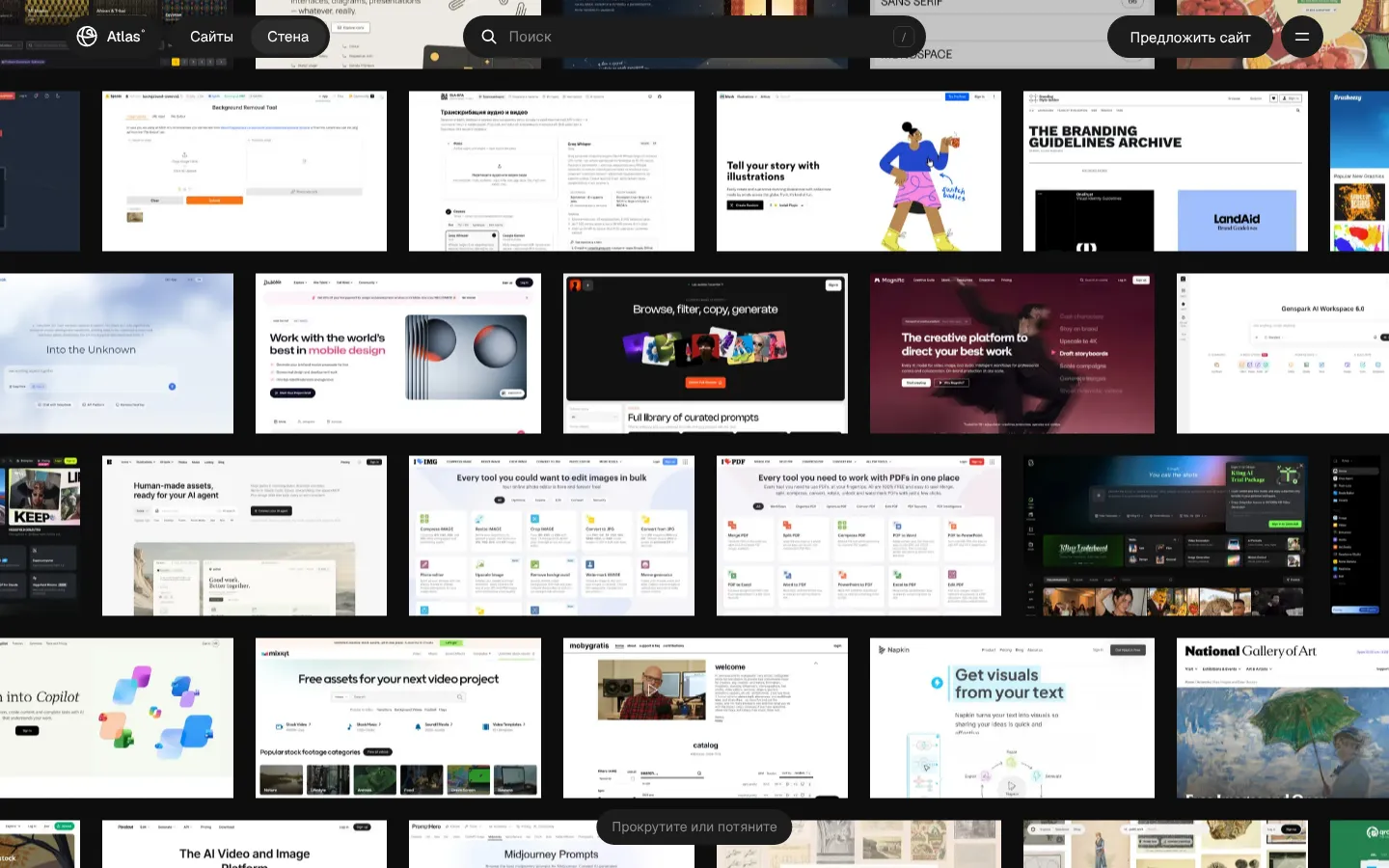
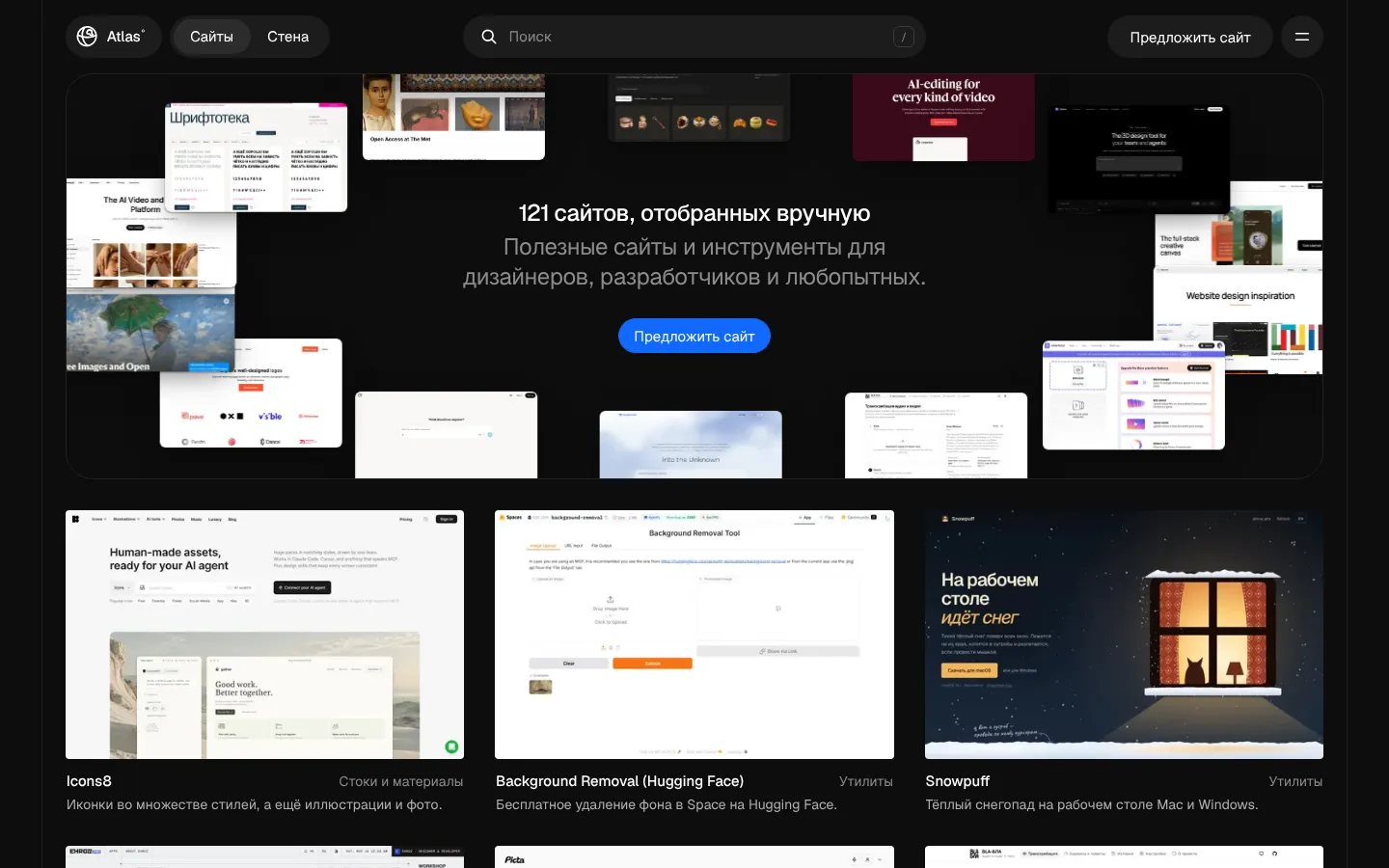
Every site is a card with a preview, a category and a short description: AI, design, inspiration, utilities, development, fonts. “Free”, “Free plan” and “Open source” badges are visible at a glance.
Useful sites picked by hand, to help you get things made.
Atlas is a directory of over a hundred sites and tools for designers, developers and the curious. Every site is used for a while before it is added, and nobody pays for a spot on the list. Search by name, filter by category, price and platform, or scroll the Wall of previews. Pages in Russian and English, with an RSS feed.
Who it’s forDesigners, developers and anyone looking for a reliable tool or inspiration without the noise.
Every site is a card with a preview, a category and a short description: AI, design, inspiration, utilities, development, fonts. “Free”, “Free plan” and “Open source” badges are visible at a glance.
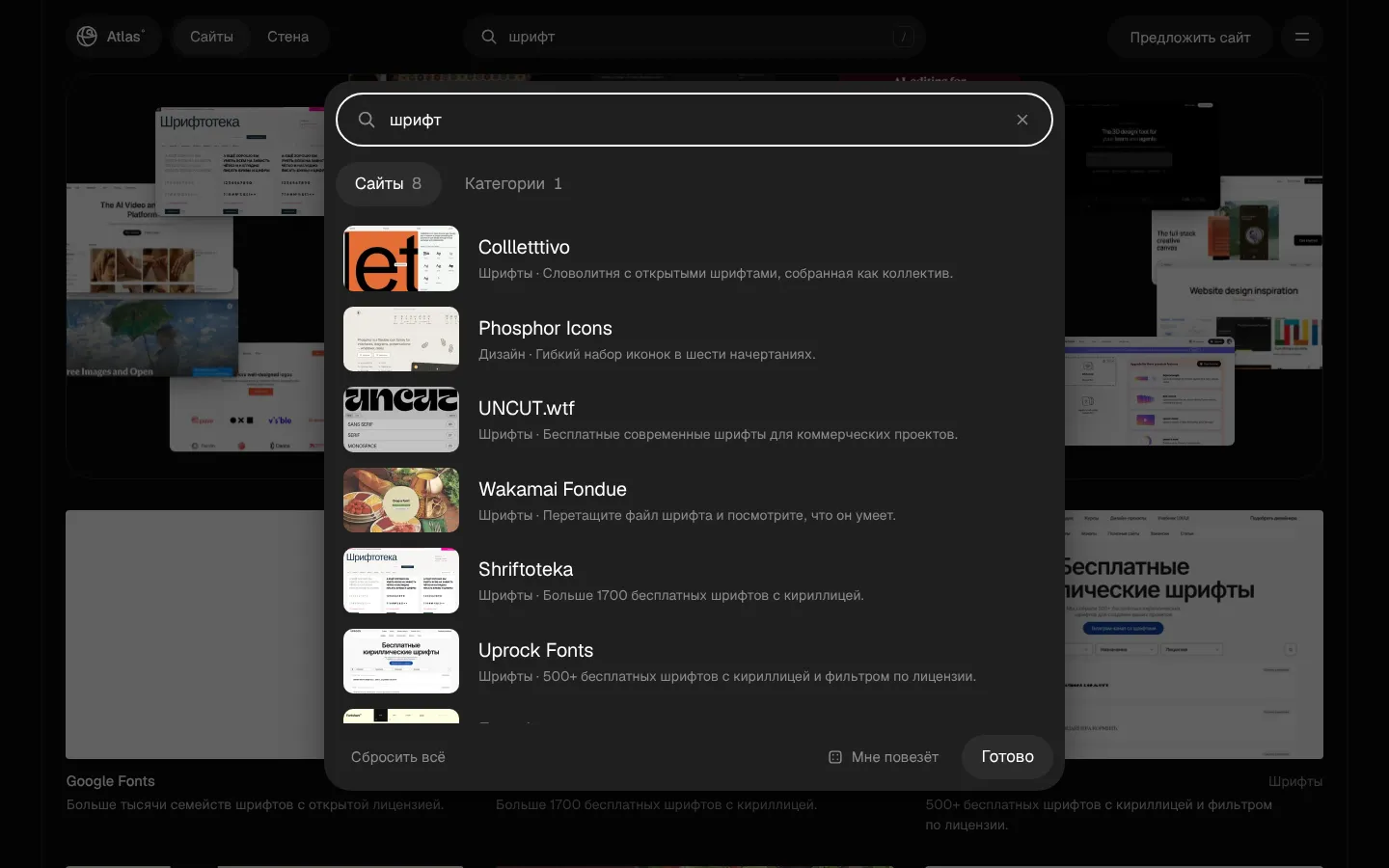
The “/” key opens search across sites and categories. Filters by category, price and platform narrow the list, and “I’m feeling lucky” opens a random site.
Every site on one endless wall of previews. Scroll or drag to stumble on something unexpected.
Open atlas.ehroz.pro — nothing to install.
Press “/” and type a name, or pick a category and filters.
Open a card to read the description, then visit the site.
They are used for a while first. A site has to do its job better than the obvious choice, make sense within a minute and not require sign-up just to look around. Nobody pays for a spot.
Yes — the “Suggest a site” button on atlas.ehroz.pro opens a form.
Yes: atlas.ehroz.pro/rss.xml — new sites arrive in your reader.
Radial file converter for macOS
Learn more Morfus ↗Menu bar converter for macOS
Learn more Morfu ↗Image compression and cropping for the web
Learn more Pachaq ↗Auto captions for Reels, TikTok and Shorts
Learn more Sukhan ↗Background removal for photos on Mac
Learn more radius ↗Audio & video transcription in the browser
Learn more BLA-БЛА ↗Search photos, icons and video everywhere at once
Learn more Picta ↗A gamepad in any game on Mac
Learn more PadBridge ↗New gestures for the Mac trackpad
Learn more Pad+ ↗Your Downloads, right next to the Dock
Learn more Moss Pocket ↗Links in a window over the page
Learn more Peecube ↗A video or photo instead of your webcam
Learn more ANY CAMERA ↗Cozy snow on your Mac and Windows desktop
Learn more Snowpuff ↗Message me on Telegram — I reply fast.