01 / 05
Snow that settles
Light, steady, heavy or variable snowfall. Snow piles up on windows, the Dock and the Windows taskbar, melts, and scatters when you sweep the cursor through it.
Snow falls, settles on your windows and Dock, and scatters from your cursor.
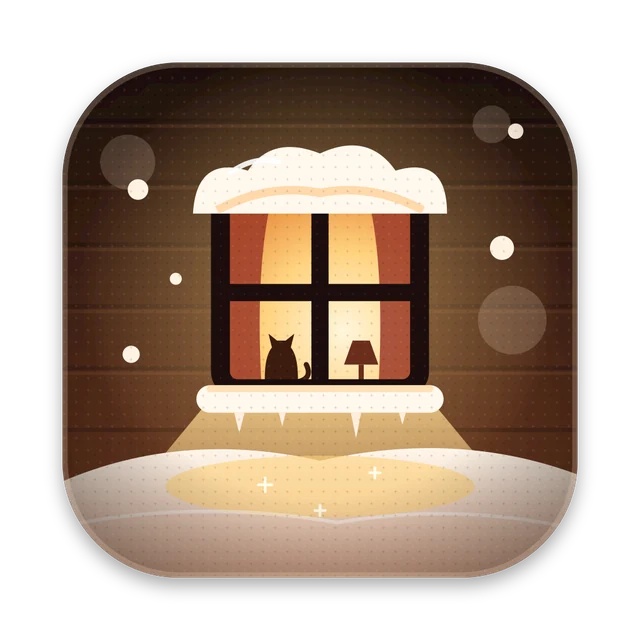 Item 14 · Snowpuff
Snowpuff is a snowfall on top of your macOS or Windows desktop. Snow piles up on windows, the Dock and the taskbar, icicles grow under windows, and the active window glows warm. There are rain and autumn-leaves modes too. Blow into the microphone and the snow flies away. It hides itself during calls and installs new versions automatically.
Who it’s forAnyone who wants a cozy winter right on their screen, with no extra windows or setup.
Light, steady, heavy or variable snowfall. Snow piles up on windows, the Dock and the Windows taskbar, melts, and scatters when you sweep the cursor through it.
Icicles grow under windows with snow on them. Shake, close or minimise the window and they fall off and shatter.
The active window glows like the window on the Snowpuff icon, and nearby snow turns warm. Switch windows and the light follows.
Turn on the microphone in the menu and blow — the snow flies away. Audio is only checked for a puff and never recorded. The same menu has wind, fireplace or both, synthesised on the fly.
When another app turns on the camera or microphone, the snow and sound fade away and come back after the call. Updates wait for the call to end too.
Download Snowpuff.dmg for Mac or Snowpuff-Setup.exe for Windows. No admin rights needed.
On a Mac, open Snowpuff from the disk image — it moves itself to Applications. On Windows, run the installer.
The snowflake in the menu bar or tray holds snowfall, drifts, icicles, sound and the microphone. Snowpuff keeps itself up to date.
The app isn’t signed with a paid certificate. On a Mac: System Settings → Privacy & Security → Open Anyway, once. On Windows, in the SmartScreen window: More info → Run anyway.
No. The microphone is only for “Blow on the Snow” and is turned on in the menu. Audio is checked for a puff and never sent anywhere.
By itself: every few hours it checks GitHub releases, downloads the new version, verifies its SHA-256 and restarts. During a call it waits. Turn it off with “Update Automatically”.
You can move it behind windows with “Behind Windows”, hide it from screenshots or clear all the snow in one click.
Yes, under the MIT license. Snowpuff is based on Snowhush (MIT, © Mykhailo Bezruchko).
Radial file converter for macOS
Learn more Morfus ↗
Menu bar converter for macOS
Learn more Morfu ↗
Image compression and cropping for the web
Learn more Pachaq ↗
Auto captions for Reels, TikTok and Shorts
Learn more Sukhan ↗
Background removal for photos on Mac
Learn more radius ↗
Audio & video transcription in the browser
Learn more BLA-БЛА ↗
Search photos, icons and video everywhere at once
Learn more Picta ↗
A hand-picked directory of useful sites and tools
Learn more Atlas ↗
A gamepad in any game on Mac
Learn more PadBridge ↗
New gestures for the Mac trackpad
Learn more Pad+ ↗
Your Downloads, right next to the Dock
Learn more Moss Pocket ↗
Links in a window over the page
Learn more Peecube ↗
A video or photo instead of your webcam
Learn more ANY CAMERA ↗Message me on Telegram — I reply fast.